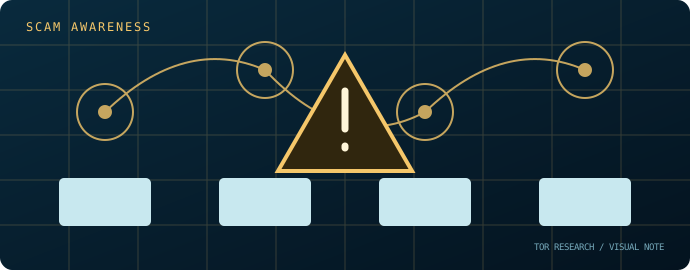
A link is a claim, not proof
A URL shared in a post, directory, chat, or search result is not proof of an official destination. Attackers can copy names, logos, layouts, and status labels.
\nWarning signs
Be cautious of urgency, requests to enter credentials, payment instructions, claims of guaranteed access, unverifiable verification badges, and pages that ask users to install files or browser extensions.
\nHow researchers document claims
Capture the publication date, source, exact wording, and context. Compare independent reporting and primary records where available. Avoid visiting suspicious destinations merely to test a claim.
\nWhat this publication does not do
Tor Research does not publish marketplace mirrors, access links, redirect chains, or claims that a third-party destination is verified.
\nIf credentials may be exposed
Do not reuse passwords. Change affected credentials through the legitimate service's independently known channel, enable multi-factor authentication where appropriate, and review account activity.
Editorial scope
Tor Research is an independent educational publication. It is not affiliated with the Tor Project and does not verify, endorse, monitor, or direct readers to third-party marketplaces or services. Last reviewed: November 2026.
06. A link is a claim, not proof of ownership
A URL can be copied into posts, shortened, redirected, or displayed as a misleading label. A page can reproduce a logo, layout, or “official” badge without having any relationship to the organization it names. Search snippets may omit the actual destination or reflect stale page content. Treat each link as untrusted until its origin and purpose are independently established.
07. Safer inspection habits
- Do not open unexpected links from direct messages, comments, advertisements, or unsolicited emails.
- Read the registered domain from right to left; subdomains and path text can be designed to mislead.
- Be cautious with URL shorteners and redirect chains because they hide the final destination.
- Do not enter credentials, payment details, or recovery codes into a page reached from an unsolicited link.
- Use a separate known-good channel to confirm a destination with the organization it claims to represent.
08. HTTPS and onion names are not trust badges
HTTPS protects a connection to the domain presented by the browser; it does not certify the honesty of the operator. Similarly, a syntactically valid onion address is not evidence that a service is reputable or safe. Authentication of a connection and trust in a publisher are separate questions.
09. If a suspicious link was opened
Close the page if it requests secrets or downloads. If credentials were entered, change them from a trusted route, revoke sessions, and review multifactor settings. If a file was downloaded, do not open it; follow your organization’s incident process or use reputable security support. Preserve the URL and message for reporting without redistributing the link.
Primary reading: CISA phishing guidance and Google Safe Browsing. Last substantive review: 11 November 2026.